Blogs / Latest Blogs / RC Transfe...
RC Transfer in India: Process & Status (2026)
03 Mar 2026 • 2 mins read
RC Transfer in India (2026): Online Process, Documents & Status Check
RC transfer in India (Registration Certificate) is a mandatory legal process when ownership of a vehicle changes. Whether you are buying or selling a vehicle, completing the RC transfer ensures that the vehicle is legally registered in the new owner’s name. In this complete 2026 guide, we explain the RC transfer process, documents required, timeline, and how to check RC transfer status online in India.
What is RC Transfer?
RC transfer is the process of transferring vehicle ownership from the seller to the buyer in the records of the Regional Transport Office (RTO). Once completed, the buyer’s name is officially updated in the Registration Certificate and the vehicle RC transfer status can be tracked online through the Parivahan portal.
Failing to transfer RC can lead to:
1. Legal liabilities for the previous owner
2. Insurance claim rejection
3. Traffic challans issued to the wrong person
4. Complications during resale
When is RC Transfer Required?
RC transfer is required in the following cases:
1. Sale or purchase of a used vehicle
2. Vehicle ownership transfer within the same state
3. Inter-state vehicle transfer
4. Transfer due to inheritance
5. Auctioned vehicles
For used bike buyers, RC transfer is one of the most critical steps after purchase.
RC Transfer Process Online in India (Step-by-Step)
The Government of India has digitized much of the RC transfer online process through the Parivahan portal.
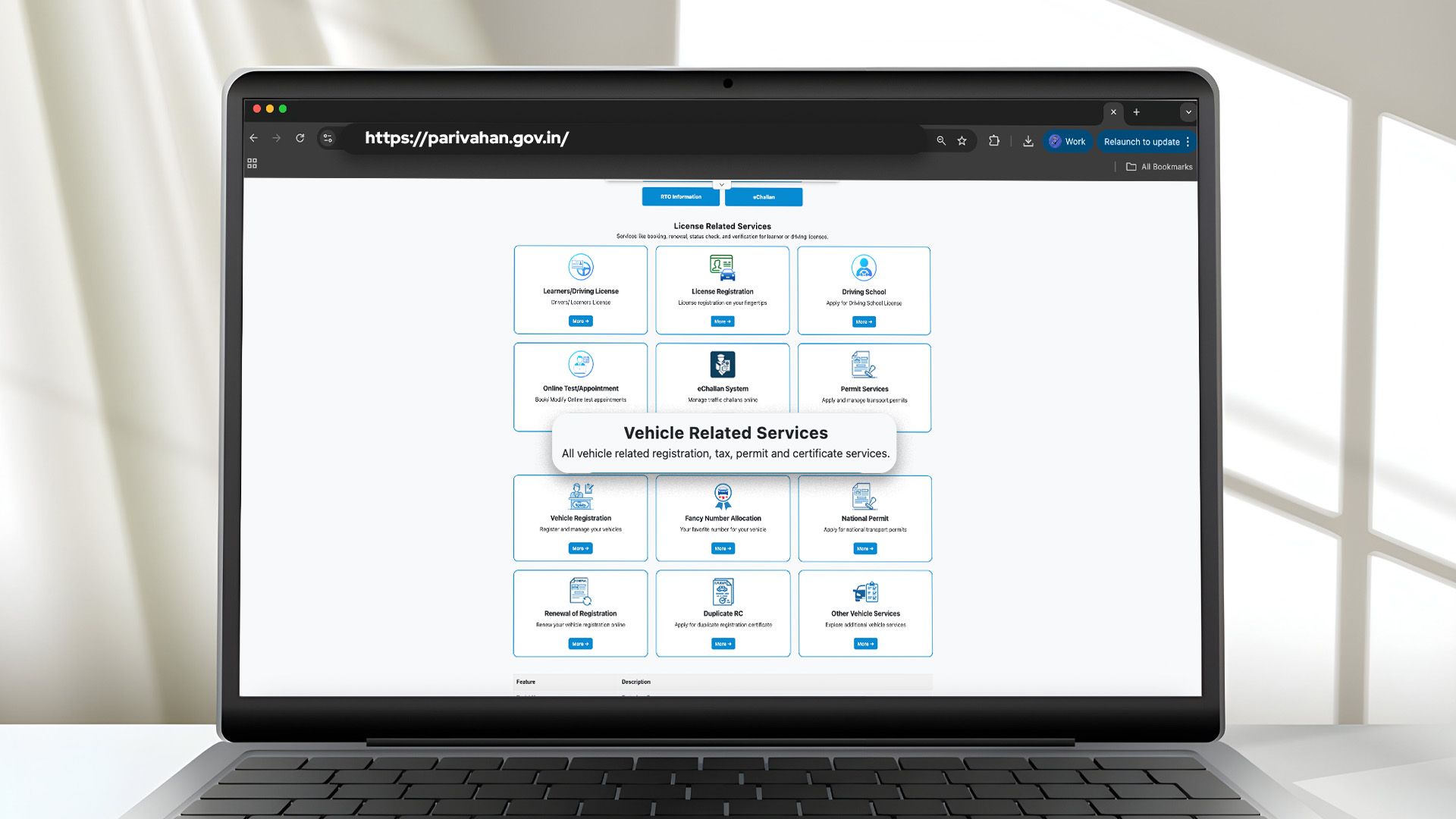
Step 1: Visit the Parivahan Website
Go to the official Parivahan portal:
Step 2: Select "Transfer of Ownership"
Under “Vehicle Related Services,” choose your state and select the transfer of ownership option.
Step 3: Enter Vehicle Details
Provide the following details:-
1. Vehicle registration number
2. Last 5 digits of chassis number
Step 4: Fill Application (Form 29 & Form 30)
1. Form 29: Notice of ownership transfer (usually initiated by seller)
2. Form 30: Application for transfer of ownership
Ensure all details match RC and ID documents.
Step 5: Upload Required Documents
Upload scanned copies of necessary documents (listed below):-
1. RC
2. Insurance
3. PUC
4. ID & address proof
5. NOC (if applicable)
Step 6: Pay RC Transfer Fees
Complete the payment through the portal. An application number and acknowledgement receipt will be generated.
Step 7: Submit & Book Appointment
Some states require a physical visit for verification. After submission, the RTO verifies documents and updates the ownership details.
RC Transfer Process Offline (Through RTO)
Although most states allow RC transfer online via the Parivahan portal, some cases may require an offline visit to the Regional Transport Office (RTO), especially in inter-state transfers or where document verification is required.
Steps for Offline RC Transfer:
1. Visit your local RTO
2 Submit Form 29 and Form 30 physically
3. Attach required documents (RC, insurance, PUC, ID proof, NOC if applicable)
4. Pay Rc transfer fees at RTO counter
5. Collect acknowledgement receipt
6. Track status through Parivahan portal or visit RTO
Documents Required for RC Transfer
Here is the complete list of documents required:
Mandatory Documents
Form 29 – Notice of vehicle ownership transfer
Form 30 – Application for transfer of ownership
Original RC – Proof of existing vehicle registration
Valid Insurance Certificate – Confirms active insurance
PUC Certificate – Pollution compliance verification
Buyer ID Proof – Identity verification
Buyer Address Proof – Address confirmation
Additional Documents (If Applicable)
Sale Agreement – Proof of transaction between buyer and seller
Bank NOC – Required if the vehicle has an active loan
Form 35 – Required for hypothecation removal
NOC from Original RTO – Required for inter-state transfer
Road Tax Clearance – Confirms no pending dues (inter-state cases)
How to Check RC Transfer Status Online
Checking your RC transfer status online is simple through the official Parivahan (VAHAN) portal managed by the Ministry of Road Transport & Highways (MoRTH). Once your RC ownership transfer application is submitted, you can effortlessly track RC transfer status using your application number.
Follow these steps to complete your RC transfer status check online:
1. Visit Parivahan website
2. Select “Vehicle Related Services”
3. Choose your state
4. Click on “Application Status”
5. Enter your application number or vehicle registration number
6. View real-time status
How Long Does RC Transfer Take?
The processing time typically ranges between:
1. Same-state transfer: 30-45 working days maximum
2. Inter-state transfer: 60-90 working days maximum
Delays may occur due to:
1. Incomplete documentation
2. Loan/hypothecation clearance pending
3. RTO workload
RC Transfer: Same State vs Inter-State
Understanding the difference helps avoid compliance issues:
Same-State RC Transfer
1. NOC from RTO: Not required
2. Road tax adjustment: Not required
3. Timeline: Faster
4. Re-registration: Not required
Inter-State RC Transfer
1. NOC from original RTO: Required
2. Road tax adjustment: Required
3. Timeline: Longer
4. Re-registration in new state: Mandatory
Common Mistakes to Avoid
1. Not verifying chassis number correctly
2. Ignoring hypothecation removal
3. Delaying transfer beyond 30 days
4. Not keeping a signed sale agreement
5. Skipping insurance transfer
Ensuring complete documentation reduces rejection risk.
What Does RC Transfer Status Mean?
When tracking your RC transfer status online, you may see the following updates:
Under Process
1. Meaning: Application submitted and under verification
2. What to Do: Wait 7–15 working days
Pending at RTO
1. Meaning: Documents under officer review
2. What to Do: Visit RTO if delayed beyond standard timeline
Approved
1. Meaning: Ownership transfer successfully completed
2. What to Do: Download updated RC
Rejected
1. Meaning: Incorrect or incomplete documents
2. What to Do: Correct errors and re-submit application
On Hold
1. Meaning: Verification or compliance issue detected
2. What to Do: Contact RTO immediately
Why RC Transfer is Crucial for Used Bike
When purchasing a used bike, RC transfer protects you from:
1. Previous owner liabilities
2. Legal disputes
3. Pending challans
4. Insurance issues
Always confirm that the RC is successfully transferred before considering the vehicle legally yours. If you’re unsure about the risks, it’s worth understanding what happens if RC transfer is not done.
How DriveX Simplifies the RC Transfer Process
RC transfer is required whether you want to buy a second-hand bike from DriveX or sell your bike to DriveX. Managing documentation, RTO formalities, and compliance can be time-consuming — which is why structured support becomes important.
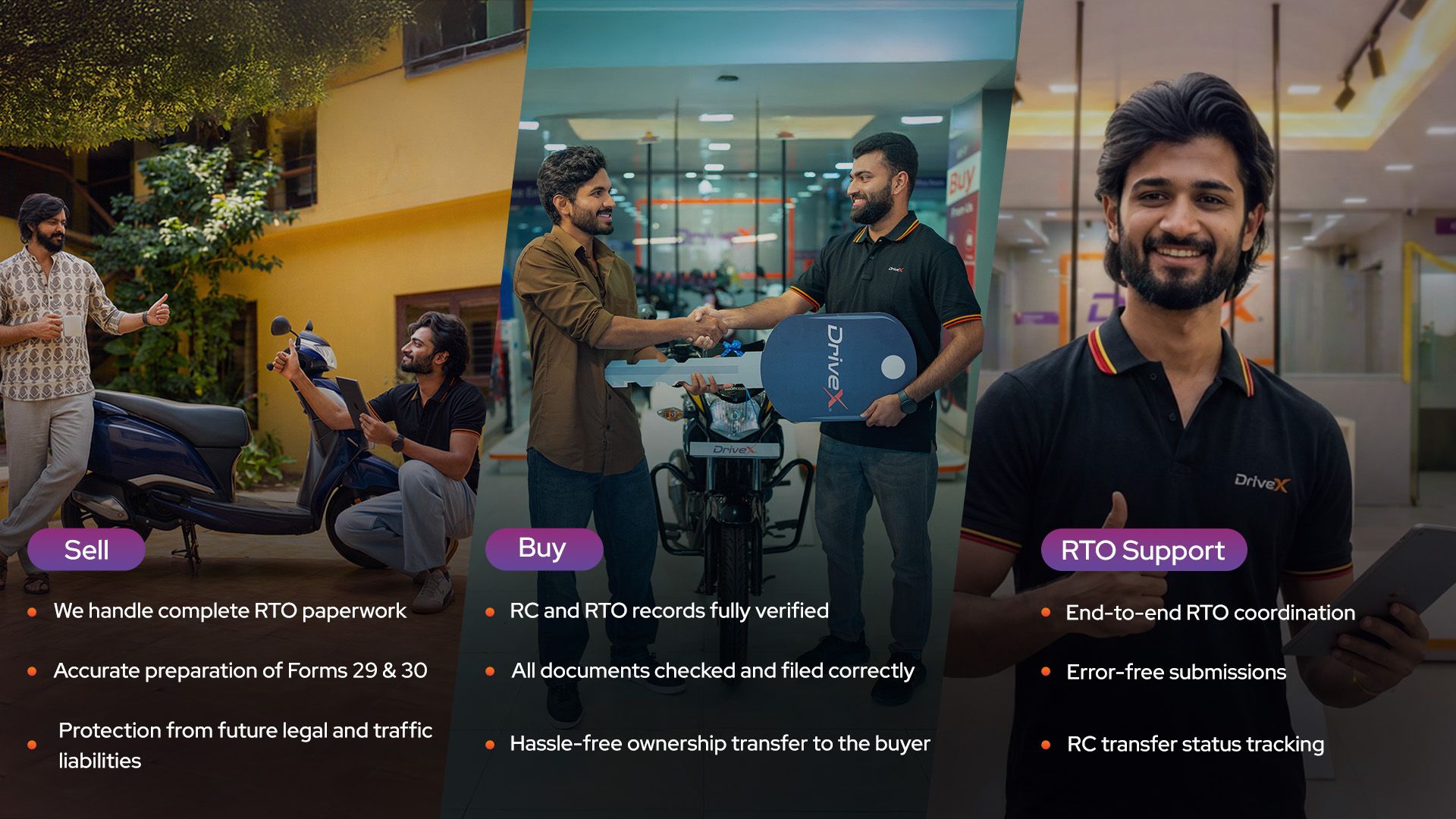
If You Are Selling Your Bike to DriveX
DriveX ensures hassle free documentation along verification and smooth ownership transfer to confirm the legal possession
Hypothecation (if any) is checked and guided for closure
If You Are Buying a Bike from DriveX
All listed vehicles undergo thorough document verification to ensure a smooth and hassle-free ownership transfer for buyers.
The RC transfer process is initiated post-purchase, with customers guided through documentation and status tracking guidance at every stage.
If You Need RC Transfer Assistance (Without Buying or Selling)
DriveX also provides RTO services support as a standalone service, assisting vehicle owners with documentation, submission, and status guidance.
By managing RC verification during procurement and facilitating RC transfer during resale, DriveX helps reduce legal risks, paperwork stress, and ownership confusion for both buyers and sellers.
Conclusion
RC transfer in India is a critical legal process that ensures smooth and compliant ownership change of a vehicle. Whether completed through the online Parivahan portal or via an RTO visit, understanding the RC transfer process, required documents, timelines, and status tracking helps avoid legal complications and unnecessary delays.
Before finalizing any used vehicle purchase or sale, always confirm that the RC transfer is successfully initiated and monitored until completion. Tracking your RC transfer status online ensures transparency and protects both buyers and sellers from future liabilities.
For individuals looking for structured guidance, DriveX simplifies documentation verification and ownership transfer support to ensure a hassle-free experience.